Now that we are surrounded by a variety of tools, it is more meaningful for you to create something yourself. We live in a good age where there is no shortage of convenient things, such as AI, ready-made products, and outsourced products. But do you ever feel like it's a bit of an exaggeration?
It seems like a waste to use the vast network of servers that span the globe, home to 8 billion people and more, and the vast resource-rich clusters of servers that consume resources on a par with a large city. There are surely many processes that could be completed more locally, but paper media just isn't enough. In such cases, why not try ForMe? I'm not in any way dismissing the internet, a source of human wisdom. It's important to use the right person in the right place, isn't it? I'm simply making a small point.
It's in the form of an app, but compared to other decent apps, it's more like a stationery item. All data is stored on the device. The only network access is through app sharing and a unique Bluetooth file transfer function that can only be sent to a PC. Since it doesn't have internet access, data cannot be taken out from inside or outside the device. On the positive side, you are responsible for all your data. No one, including the developer, can see it.
Furthermore, there are three main types of functions: forms for collecting data, assistive mini-apps that provide small, useful functions for everyday life, and a coding function that allows you to create missing functions yourself.
Data collection for me/私のためのデータ収集
What do you use to collect data that is close to you? There are online forms, paper documents, smartphone memo pads, etc., but if you are going to analyze it on a computer in the end, you want to do it digitally from the start.
With ForMe's form function, you can create a table using a spreadsheet program on your computer, convert it into a QR code, and then simply scan it with ForMe to complete the form. Using the built-in FormeStudio (.xlsm, .ods) makes form creation and data import even easier.
In addition, by using the web service Forme/On, surveys and other data can be compiled in a way that does not leave data on the server.
However, please use it like a multiple choice sheet. For more complex tasks, you can use the assist function or code it yourself.
Assist for me/私のためのアシスト
It comes with various built-in mini-apps, such as fishbone diagrams, trigonometric function calculations, standard deviation probability conversion, a light meter, and check sheets that can be created from CSV files. It also has a QR code creation app and barcode fonts that can be used on both smartphones and PCs, and FormeStudio (xlsm, ods) that can be used on both Windows and Mac, helping you realize your "for me" goals.
Coding for me/私のためのコーディング
If you need more functionality, just create it. It has a built-in coding editor and simple development environment that allows you to create and run mini-apps on the front side (html, css, javascript).
You can paste what the AI has output, or you can code it in your spare time as a study. If I may offer some advice, don't write amazing, beautiful code from the start. You'll get too worked up and won't be able to do anything. First, complete the bare minimum, even if it's messy code. It's a start from there. (Although I can't answer what you might ask.)

Photo taken by Scott Webb of Unsplash.
A system that says "That's works for me."
With spreadsheet software and ForMe, you can create a business system that allows you to easily create forms, to-dos, checklists, etc., without the hassle of dedicated accounts, add-ons, and internet connections.
ForMe consists of an Android app and spreadsheet macros, making it the perfect tool. Since it is designed and implemented to make effective use of the basic functions of PCs and Androids, there is no need to install extra add-ins on the PC side.
It comes standard with basic functions such as a convenient form for keeping records, a To-Do list for giving instructions, and a check sheet for checking inventory. The creation method is to create a table with spreadsheet software, convert it to QR code or CSV with the included FormeStudio (compatible with Excel, calc, and spreadsheet), and read it with ForMe.
You can customize your device with the folder function and various shortcut creation functions. In addition, using front-side technology and a simple development environment, it is also possible to develop apps that can be run in a completely sandbacked and secure environment.
It is also possible to run a single Html file in an external browser if you need to use APIs on the Internet.
For file sharing, it supports many methods such as proprietary BlueTooth file transfer, external folder registration function, USB storage, and sharing with third-party applications.
In addition, it has many functions such as memo function, QR code reading, various text files, and diagrams.
Even offline, if you have the ForMe app and spreadsheet software, you can build a system that says "That's works for me."
The name of the Android application is ForMe, and the name of the entire service such as bundle files is Forme.
Give Kaizen the power of code.
Kaizen is proud of Japanese manufacturing sites. It has played a role in postwar reconstruction and has contributed to improving the quality and monetization of Japanese products. The method that was born in the Kaizen (QC) activity still remains. However, it is also important to introduce new things in the modern age of IT. The Internet is full of useful tools.
The Internet has to be very convenient in private life, but when it comes to production activities, it's a different story. At many production sites, it may be difficult to prepare a new Internet environment for various reasons, and it may be postponed. As a result of wondering if IT could be used for Kaizen activities even at production sites without an internet environment, I came up with one answer.
"It can be said that it is already flooded, and it is only necessary to allow users to code and implement the minimum required functions for smartphones that are in widespread use."
From such an idea, Forme, which started development, has evolved into an app with three modes: handy terminal and assist,code.
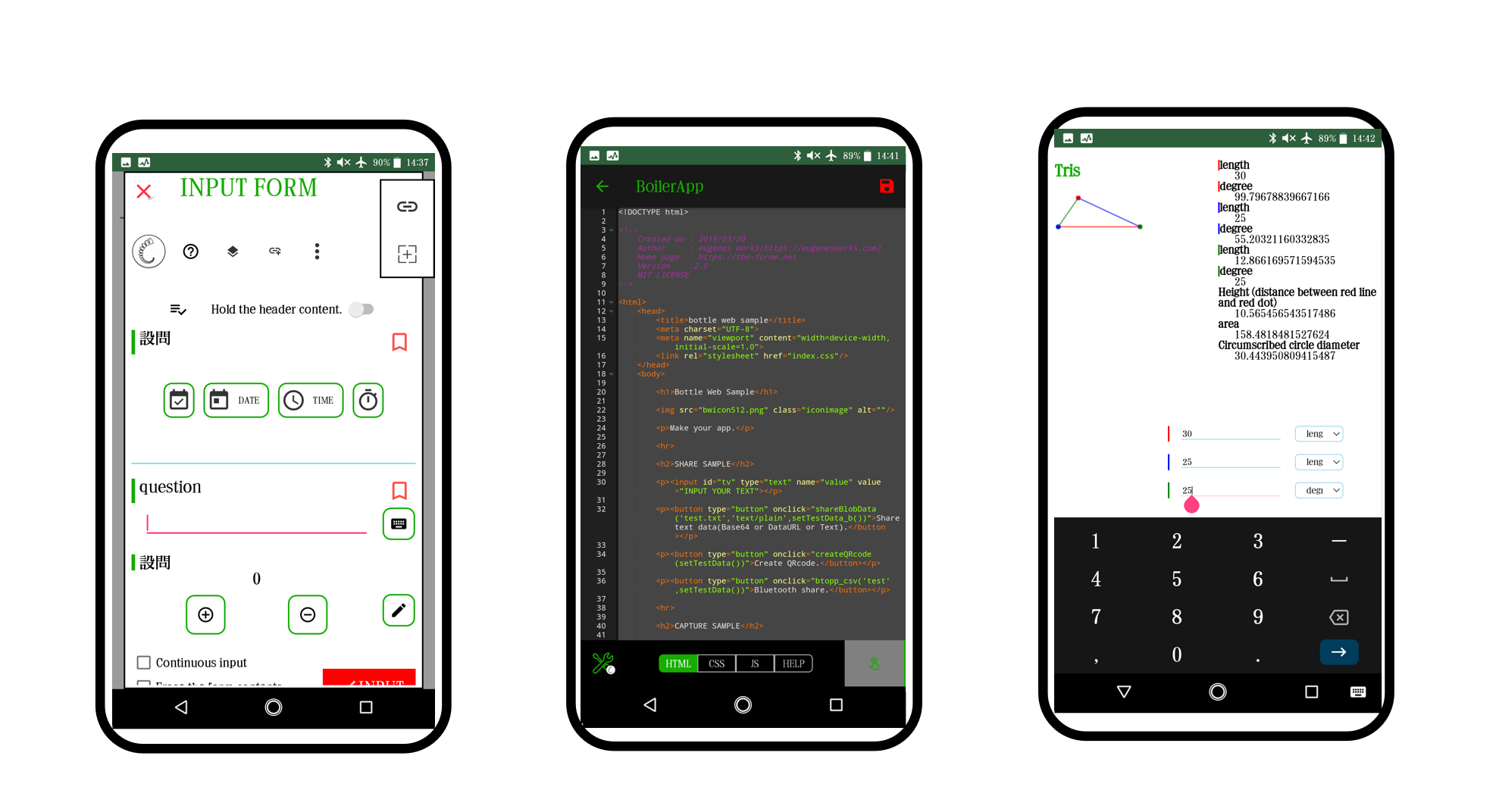
Ishikawa Diagram creation function. It also has a ToDo creation function that is useful for task management. Coding in a stand-alone, sandboxed and secure environment It is possible to create mini-apps using front-side technology, which is said to have a relatively low learning burden. The fixed file structure allows you to focus on coding. It comes with PINBADGE, which is a collection of functions such as trigonometric ratio calculation and binomial distribution calculation used for sampling inspection.
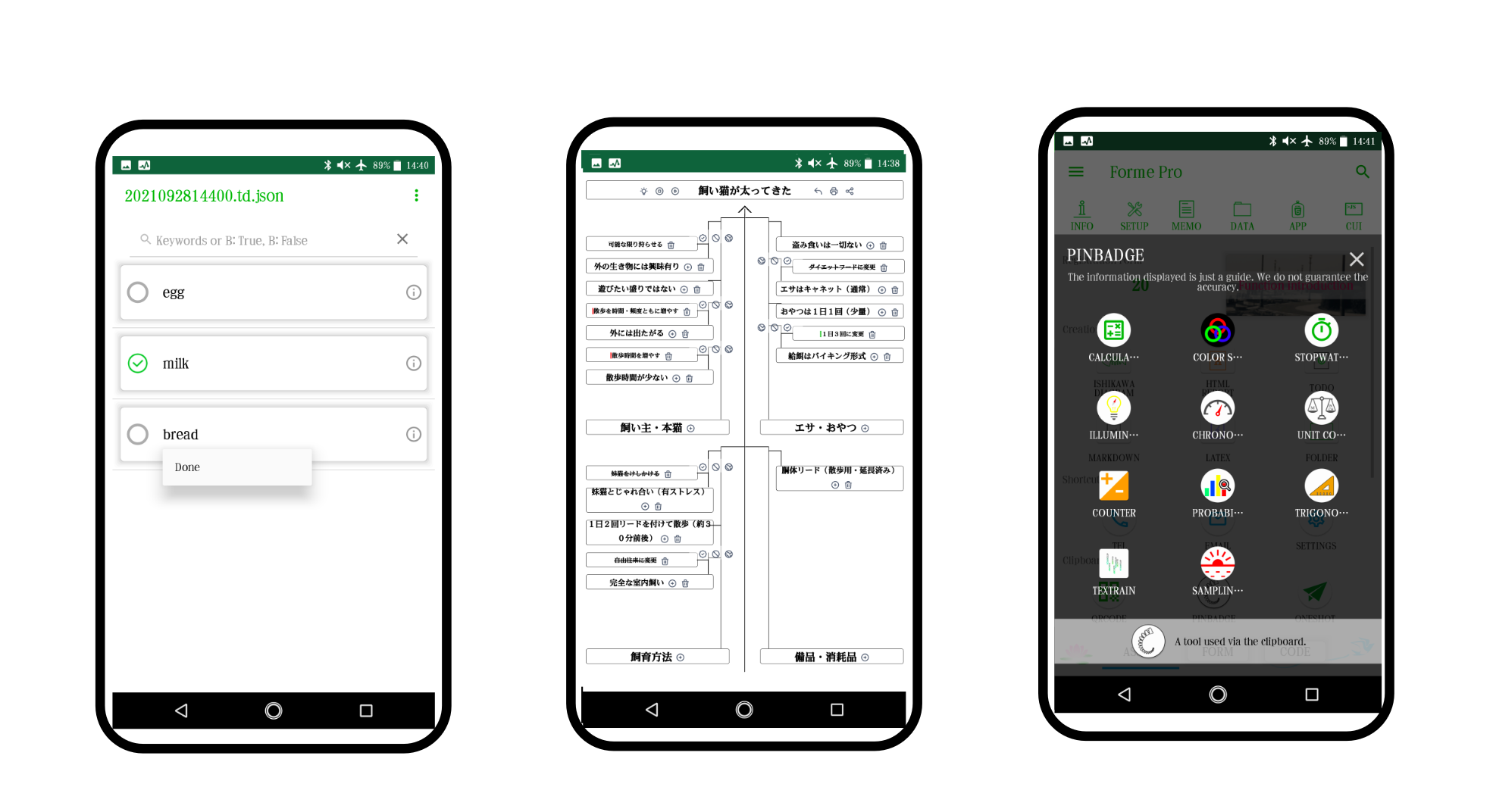
For data sharing with a PC, it is possible to use the independently implemented BlueTooth file transmission function, USB cable, and each application. Communication function with Arduino that will bring a big leap to Kaizen activity, HTML form function that can change img element, LaTeX editor with simple viewer, By combining many functions such as a shortcut creation function for each function that can be used to customize the terminal, the time and effort for preparation is reduced.
As a first step toward DX, why not start by installing ForMe on an old Android device (4.1 or higher for handy terminal function and 5.0 or higher for other functions is recommended).
Make your smartphone a handy terminal.
Handy terminals used in manufacturing and distribution sites. It is an essential part of information management, but in reality there are many things that are expensive even if you only want basic functionality. ForMe(For-me) is an application that can make your smartphone a handy terminal. It is designed to boot on older terminals, so you can reuse terminals that you no longer need. Set up a table with spreadsheet software such as Excel, and create a QR code. Just read the QR code with the app.
Collected data can also be exported in a general-purpose CSV format, so it can be said to be highly compatible with existing systems. If you want to manage in Excel, you can easily import CSV data by using the dedicated FormeStudio.xlsm. The app (FormeQRCoder.html) that allows you to create QR codes of up to 1350 characters and the spreadsheet-based FormeStudio are built into the app, so you're ready to download the app.
Get the benefits of IT technology offline.
Can you make use of the records?
In the age of AI and Industry 4.0, if you can connect to the Internet, you can use magical techniques.
However, there should be many offline places that can not connect to the Internet. In many cases, it is probably not paper and Excel that supports activities that support society, such as work and research.
The Forme series reduces the effort of data entry. Let's save time and effort to enter data and use the data.
We will replace paper and pen with offline form applications and enhance data by strengthening Excel used in many workplaces.
Example (Equipment management)
| Normal | description | ForMe |
|---|---|---|
|
|
Create recording paper. Create form from table. |
|
|
|
Record warehousing of supplies. Data input. |
|
|
|
Collection of recording paper. & Data input. Data transfer. |
|
|
|
Analysis & Create report. Analysis & Create report. |
|
・・・
Forme Series
ForMe Pro
KAIZEN application
You can use the terminal like a handy terminal. Even with older devices It is designed to be usable. Features such as simple PDF viewer and barcode reader,ForMe alone can do a variety of things.
FormeStudio
Spreadsheet-based Forme integration program
You can create your own concatenated QR code of up to 1350 characters, set forms, tasks, etc. in ForMe, and aggregate CSV data of ForMe.
It also has an insert / remove printing function that works with the auto filter. Excel VBA, Calc Basic, Google Spreadsheets GAS makes it easy to deploy in many workplaces.
Since it is compatible with both Windows and Mac, it can be used even in an environment where both OSs exist.
Please use it as the base of your system.
Forme/on
Offline form system
It is a form system that can be used for simple questionnaires. Recommended for counters where the Internet environment cannot be prepared, and for DX conversion of reception work.
・・・
FormeQRCoder
QR code creation HTML application
It is a QR code creation HTML application created to transfer form setting data to ForMe. Supports the creation of uniquely linked QR codes of up to 1350 characters. Any modern browser can be used. It is designed to be used offline. It's a single page, so it's easy to manage.
・・・
All Forme series are designed to be available offline.
You can manage folders on secure storage.
・・・
Pro & Go
It corresponds to 99.4% of Android terminal. FormeStudio and FormeQRCoder are set, Just by installing, you can quickly create your system.
-
Form
Ideal for data input of spreadsheet software.
-
Easy
You can create a form in a few steps from the table.
-
Diversity
You can use a number of spreadsheet software.(Microsoft Excel and LibreOffice Calc)
-
Parts
There are a variety of parts, such as a bar code.
-
All in one
The cooperation program FormeStudio and FormeQRCoder are included in the set.
-
Off-line
You can completely offline use.
-
BottleWeb
Html5 application execution environment is included.